First steps on cPanel with JetBackup
From zero to the first backup on a cPanel server that already runs JetBackup 5. Salvo runs next to JetBackup: it imports JetBackup's destinations and jobs, writes to the same storage in a folder of its own, and JetBackup keeps working as before.
● available in 0.4.98 install, import (steps 1 to 4), manual backup, schedules planned steps 5 to 8 of the assistant (coexistence, take over, recycle, disable JetBackup)
Until step 4 of the assistant, Salvo only reads JetBackup: nothing is deleted, moved or turned off. At step 4 it writes only what you approved. JetBackup is never stopped by this guide.
1. Install
As root, with the download credentials you received:
curl -fsSL -u USER:PASSWORD https://salvobackup.com/download/install.sh | sh -s -- -u USER:PASSWORD
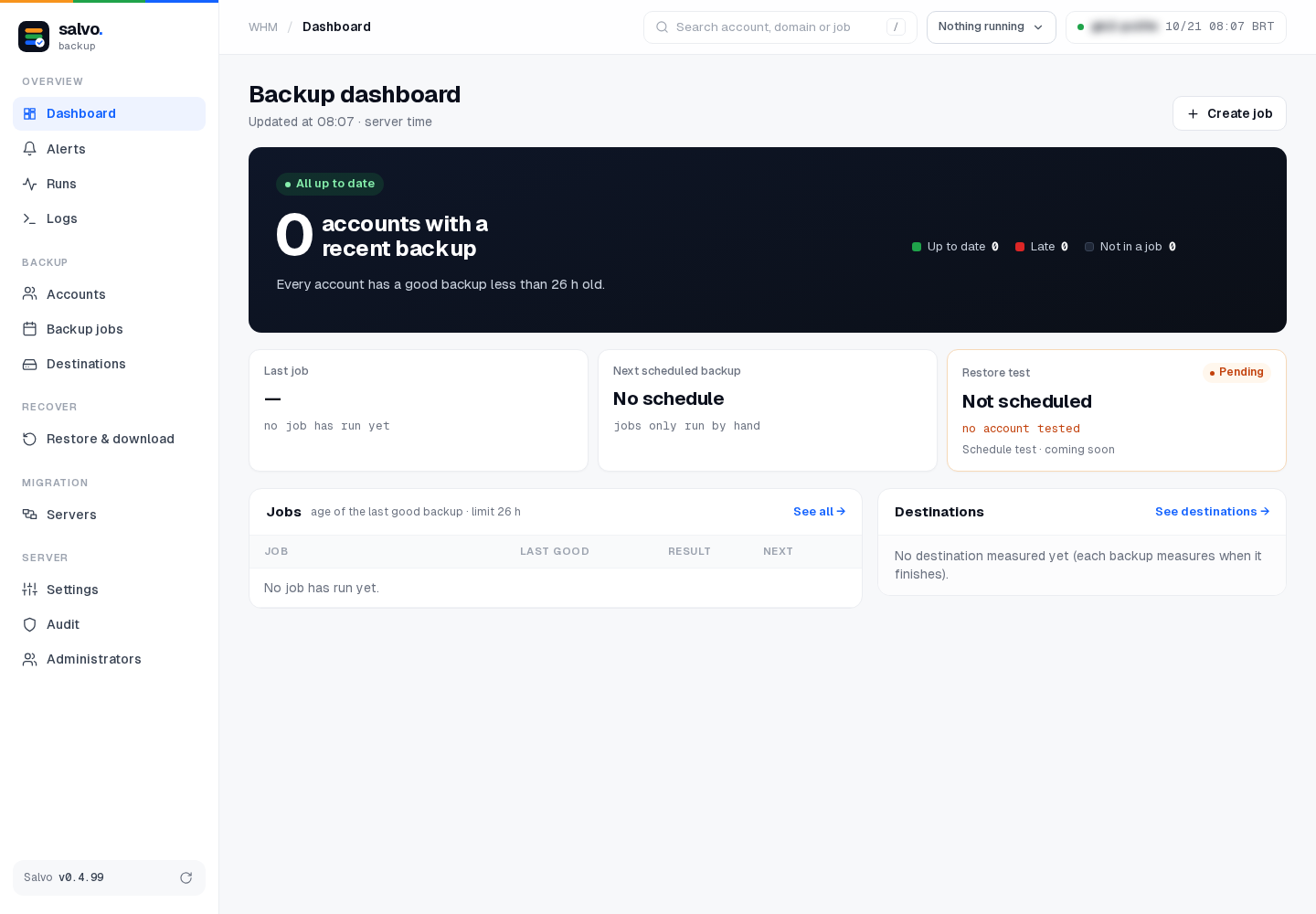
This puts the binary in /var/lib/salvo/salvo and the screen in WHM › Plugins › Salvo Backup (root
only; the installer checks it by itself). /var/lib/salvo is the default state folder, so no command needs
--state. Already installed before? Add --clean to reinstall from scratch (see Installation).
2. Bring from JetBackup
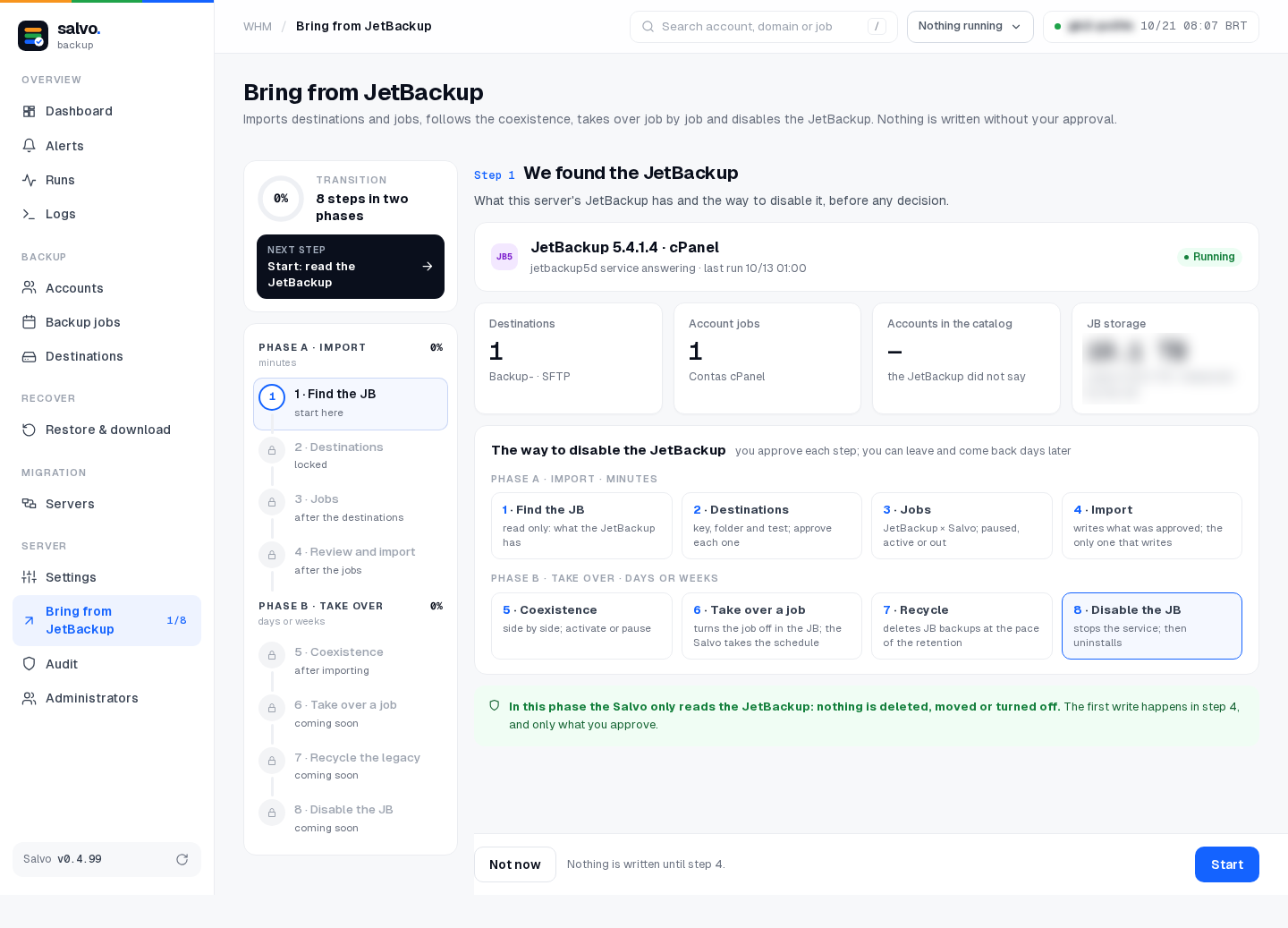
Open WHM › Plugins › Salvo Backup › Bring from JetBackup (menu Server). The assistant has 8 steps in two phases; phase A (steps 1 to 4) takes minutes.
Step 1 · Find the JetBackup
Salvo shows what this server's JetBackup has: version, destinations, account jobs and the way to disable it later. Click Start.
Step 2 · Destinations
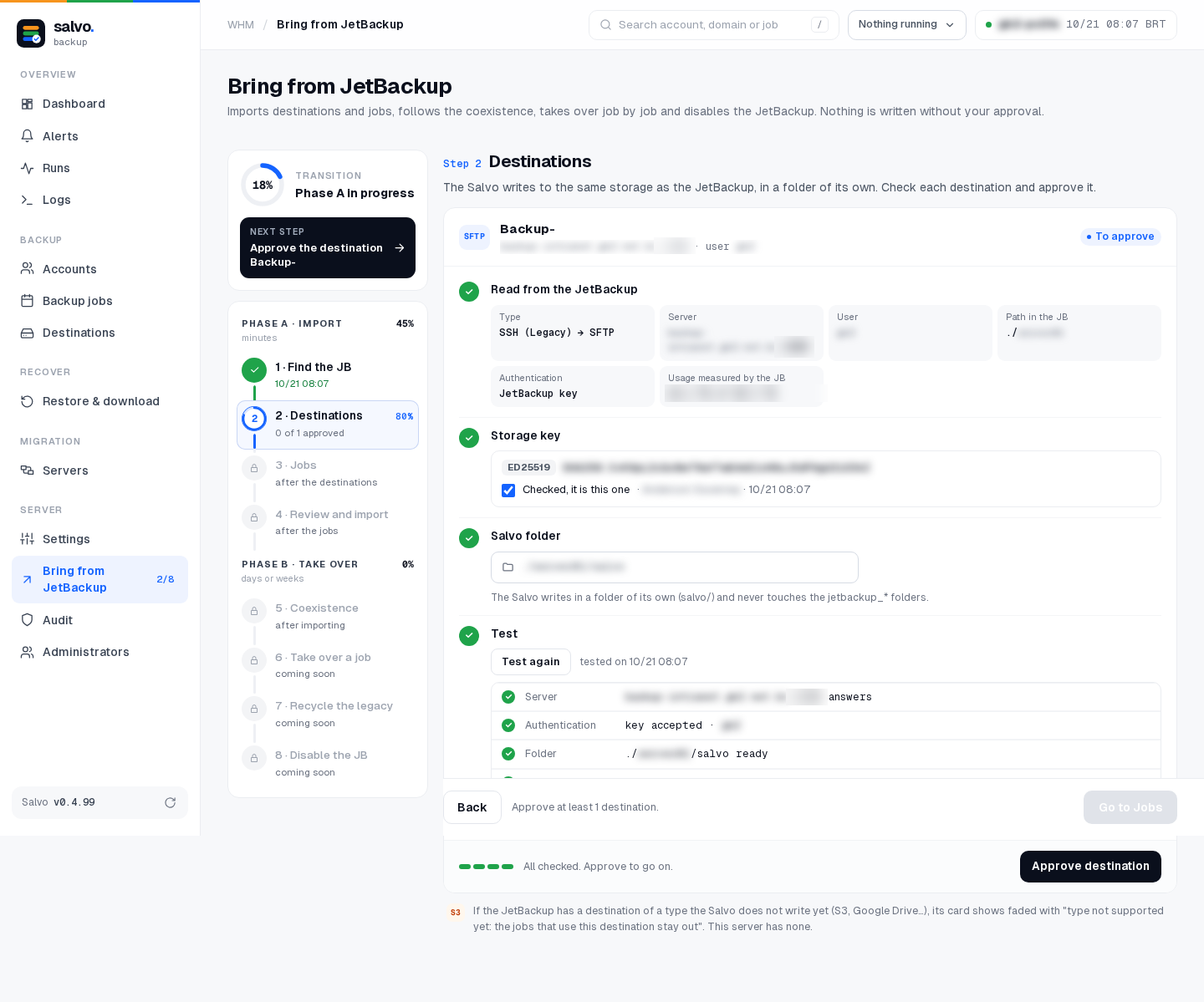
For each JetBackup destination:
- compare the storage key fingerprint with the one you know, and check Checked, it is this one;
- check the Salvo folder: it must be
…/salvo/, next to JetBackup's folders and never inside ajetbackup_*folder; - click Test (server, authentication, folder, write and read);
- click Approve destination.
Step 3 · Jobs
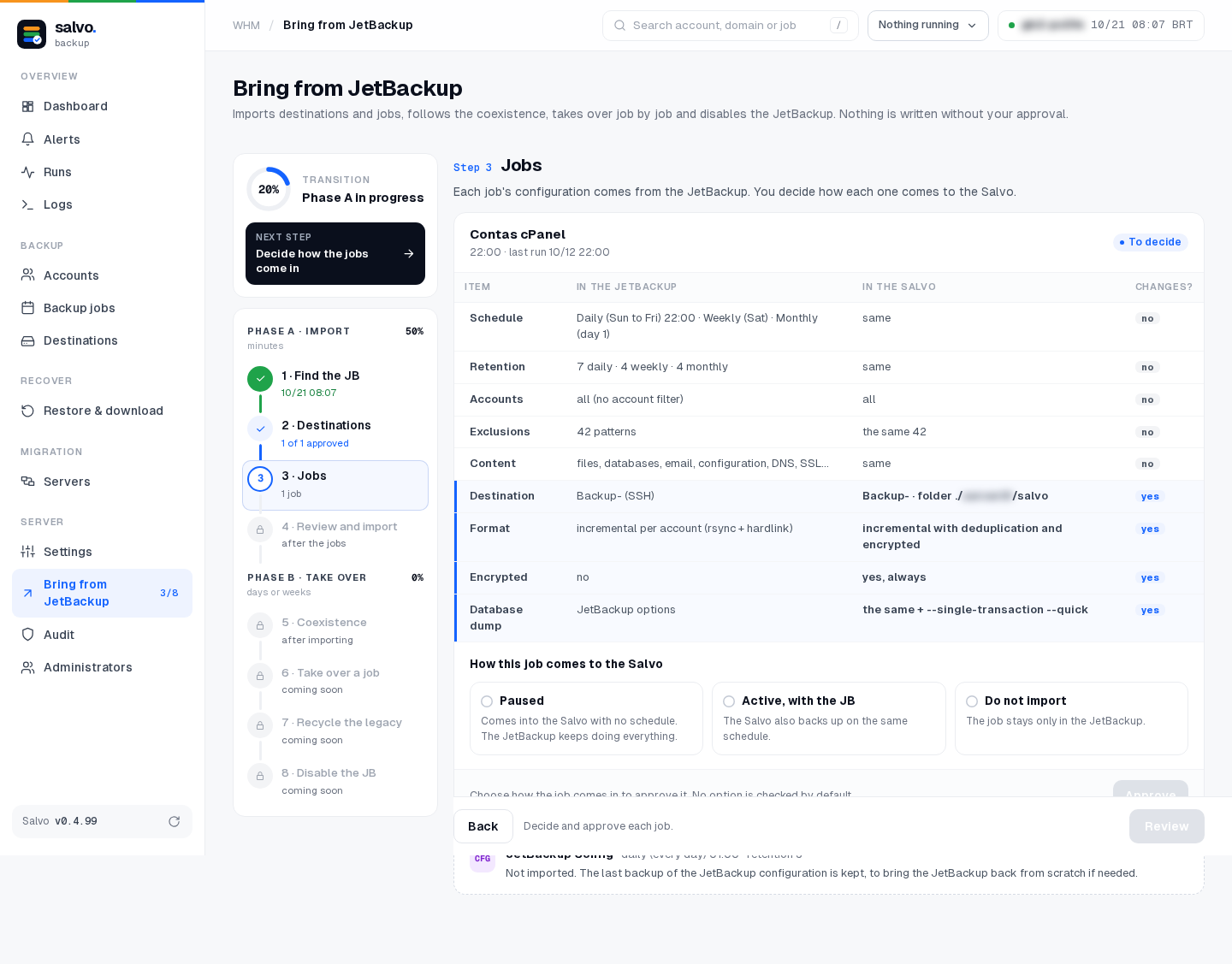
Each JetBackup job shows what comes as is (schedule, retention, accounts, exclusions, content) and what changes in Salvo (folder, format, encryption, database dump). Choose how it comes in:
| Mode | What happens |
|---|---|
| Paused | comes into Salvo with no schedule; JetBackup keeps doing everything |
| Active, with the JB | Salvo also backs up on the same schedule |
| Do not import | the job stays only in JetBackup |
Choose Paused. You run the first backup by hand (step 4 of this guide) and turn the schedule on only when you decide.
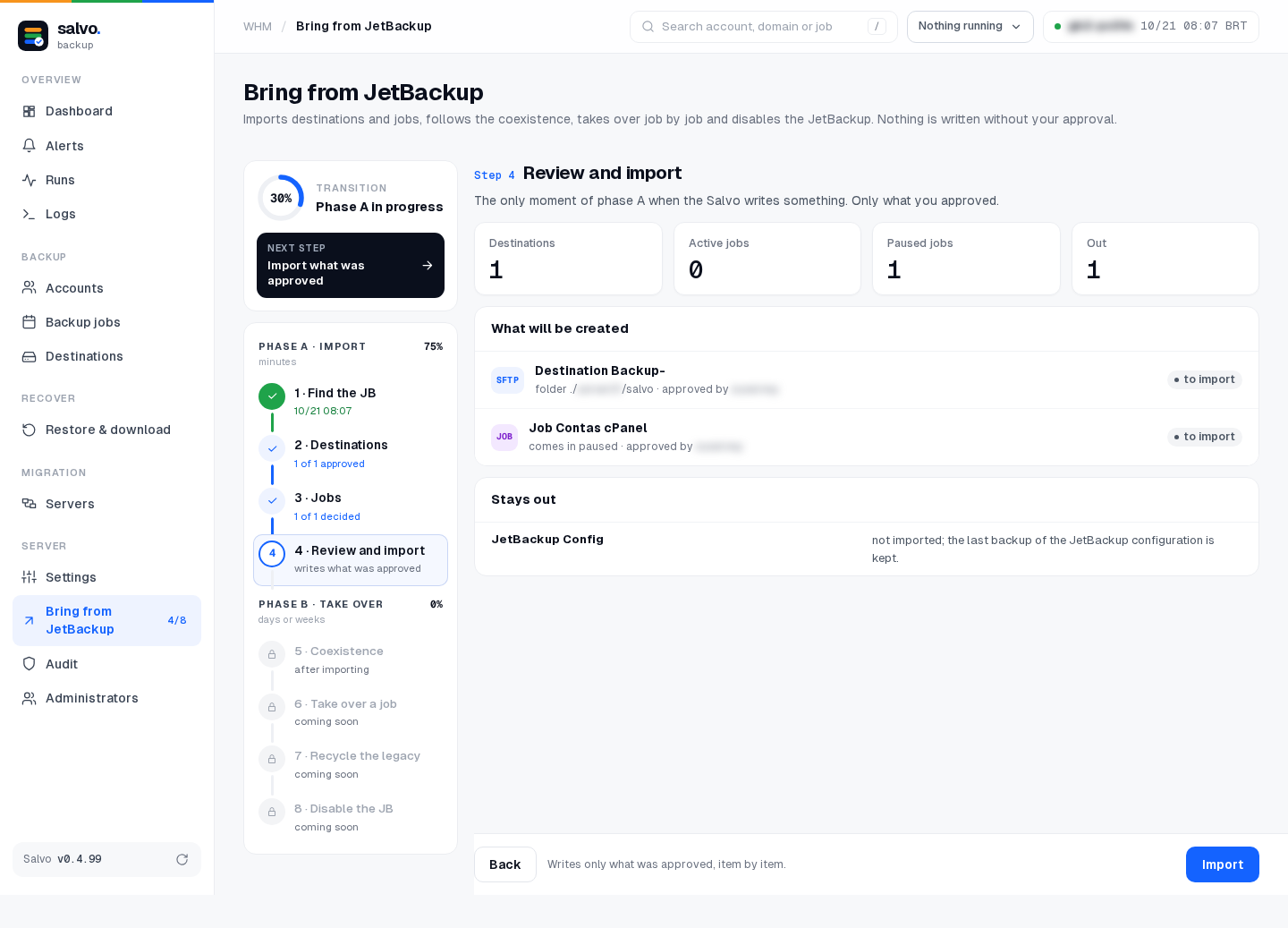
Step 4 · Review and import
The summary shows what will be created and what stays out. Click Import. This is the only moment of phase A when Salvo writes something, and only what you approved.
The same on the command line
# what JetBackup has and the 8 steps
/var/lib/salvo/salvo jb-transition
# step 1 (reads only)
/var/lib/salvo/salvo jb-transition-start
# prints the fingerprints to check
/var/lib/salvo/salvo jb-transition-destination --destination JB_ID --fetch-key
/var/lib/salvo/salvo jb-transition-destination --destination JB_ID --confirm-key
/var/lib/salvo/salvo jb-transition-destination --destination JB_ID --test
/var/lib/salvo/salvo jb-transition-destination --destination JB_ID --approve
# step 3
/var/lib/salvo/salvo jb-transition-job --job JB_ID --mode paused
# step 4: writes what was approved
/var/lib/salvo/salvo jb-transition-import
JB_ID is the JetBackup id shown by /var/lib/salvo/salvo jb-transition.
3. Check destinations and jobs
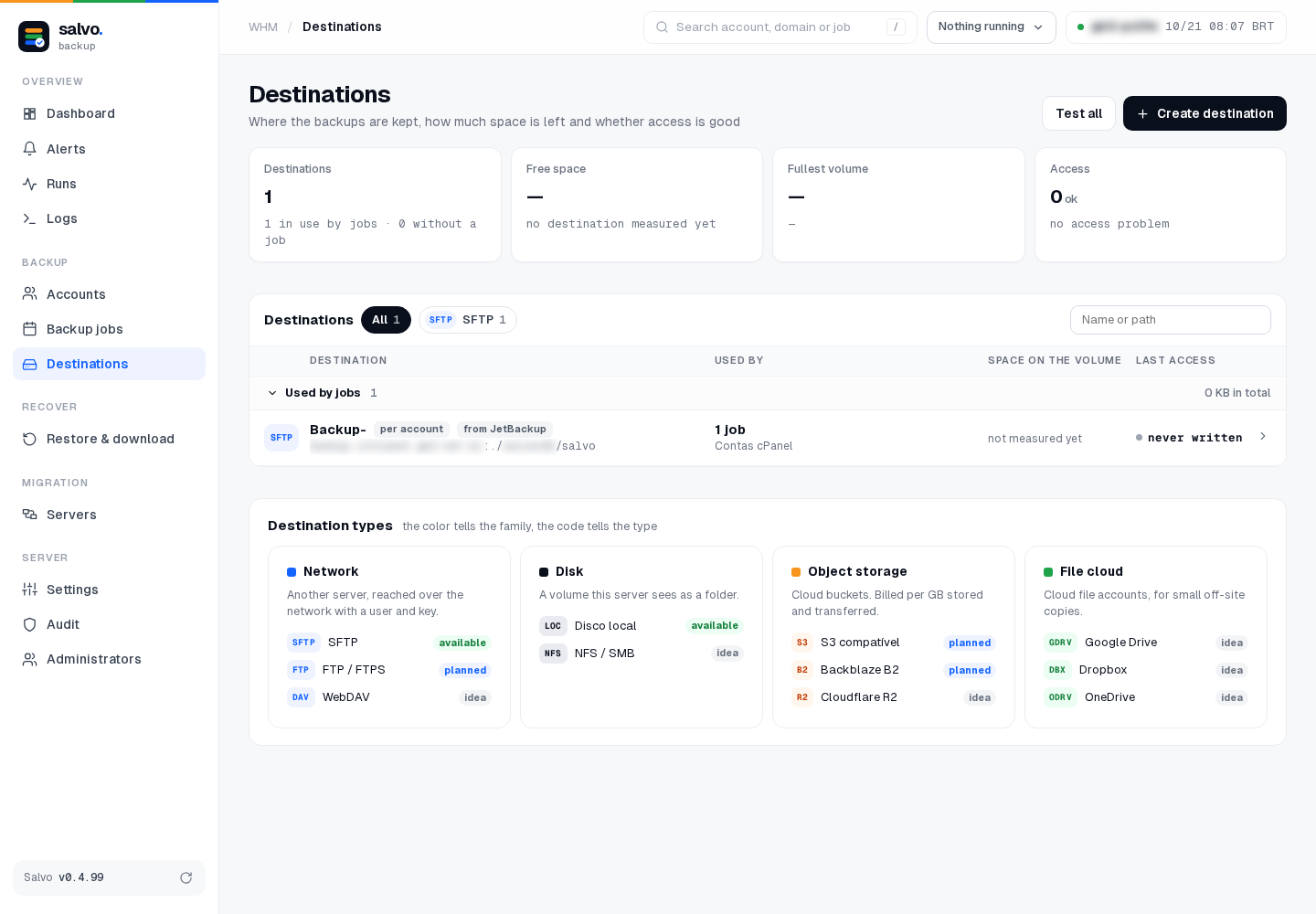
- Destinations: the imported destination shows from JetBackup. Click Test all.
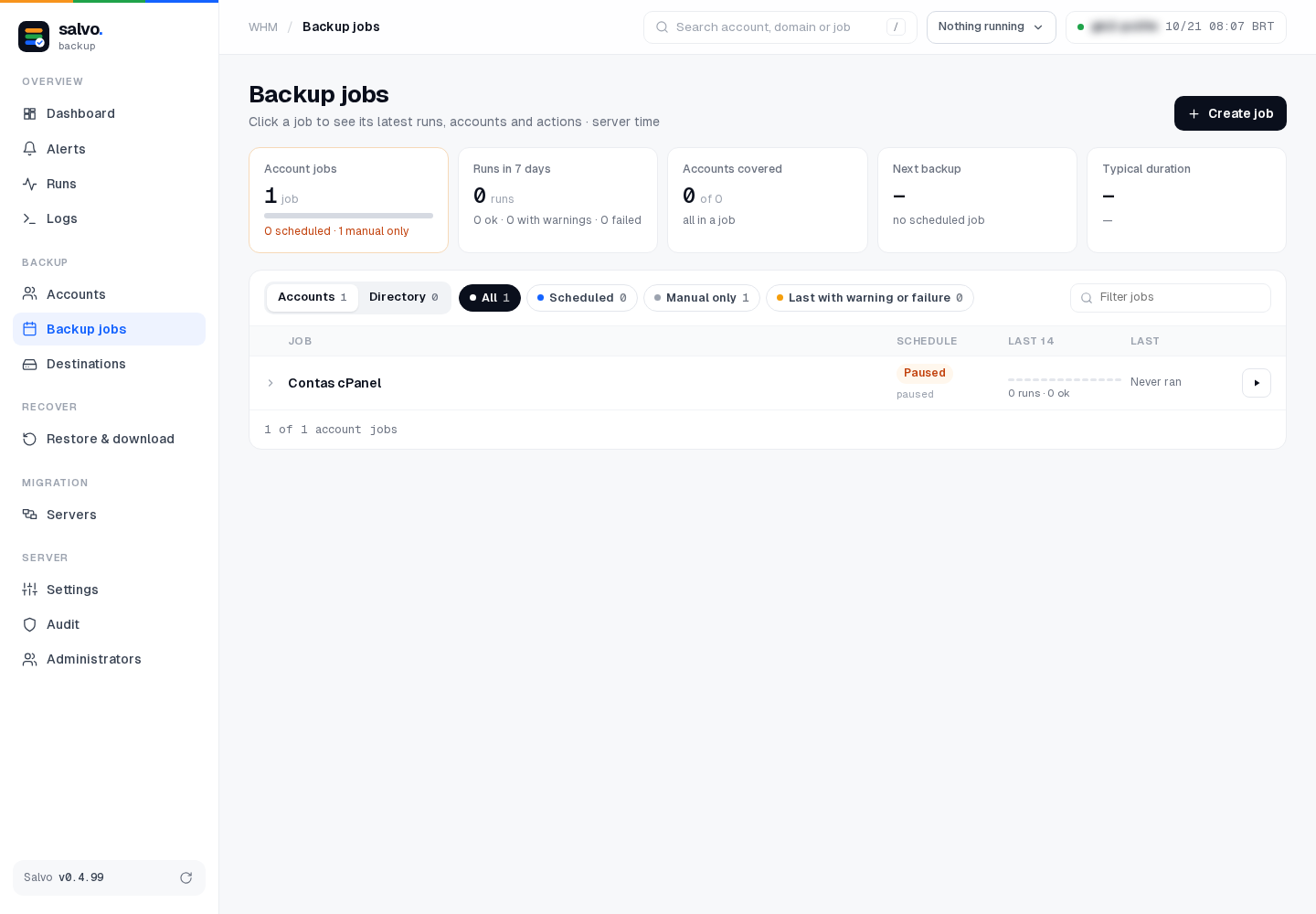
- Backup jobs: the imported job shows Paused.
4. First backup, by hand, of one account
Choose a small account and run it outside JetBackup's backup window, so both do not compete for the storage:
# N is on the Backup jobs screen
/var/lib/salvo/salvo job-show --job N
# only this account of the job
/var/lib/salvo/salvo run --job N --account conta01
Follow it in Runs (or /var/lib/salvo/salvo runs). Then open Restore & download and check that the account's backup is listed.
5. Turn on the schedules (only when you decide)
Resume the job's schedule and create the cron line that runs the schedules:
/var/lib/salvo/salvo job-pause --job N --resume
* * * * * root /var/lib/salvo/salvo schedule-run --state /var/lib/salvo
Salvo has no permanent service: cron calls schedule-run every minute and it runs what is due (one runner at a time).
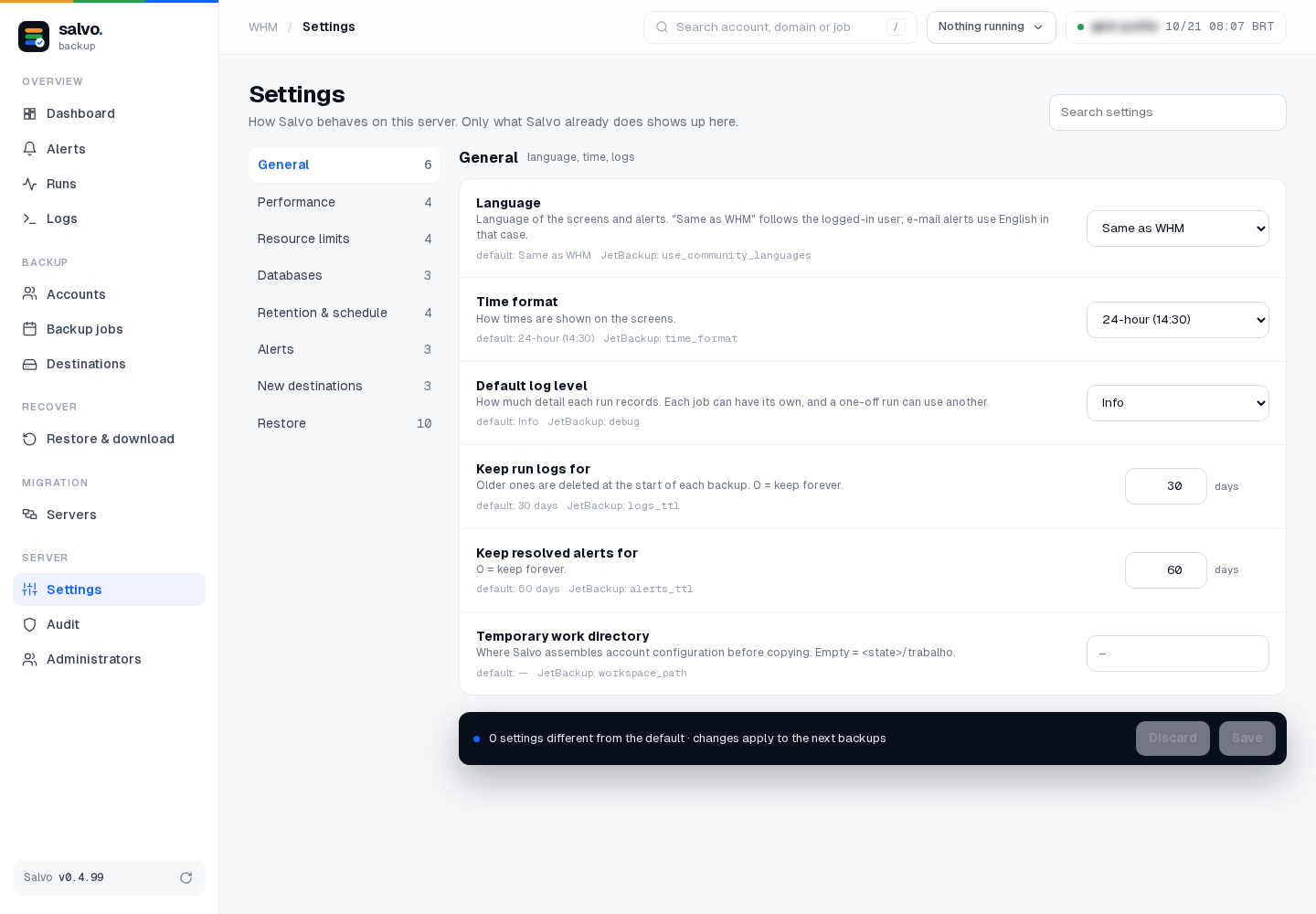
6. Deleted accounts (Settings › Retention & schedule)
Account deleted from the server sets how many backups of a deleted account to keep, and for how many days. It comes turned off: decide before the first account is deleted.
Remove Salvo
See Remove Salvo: one command, with a simulation first.